
A desktop that stays out of your way.
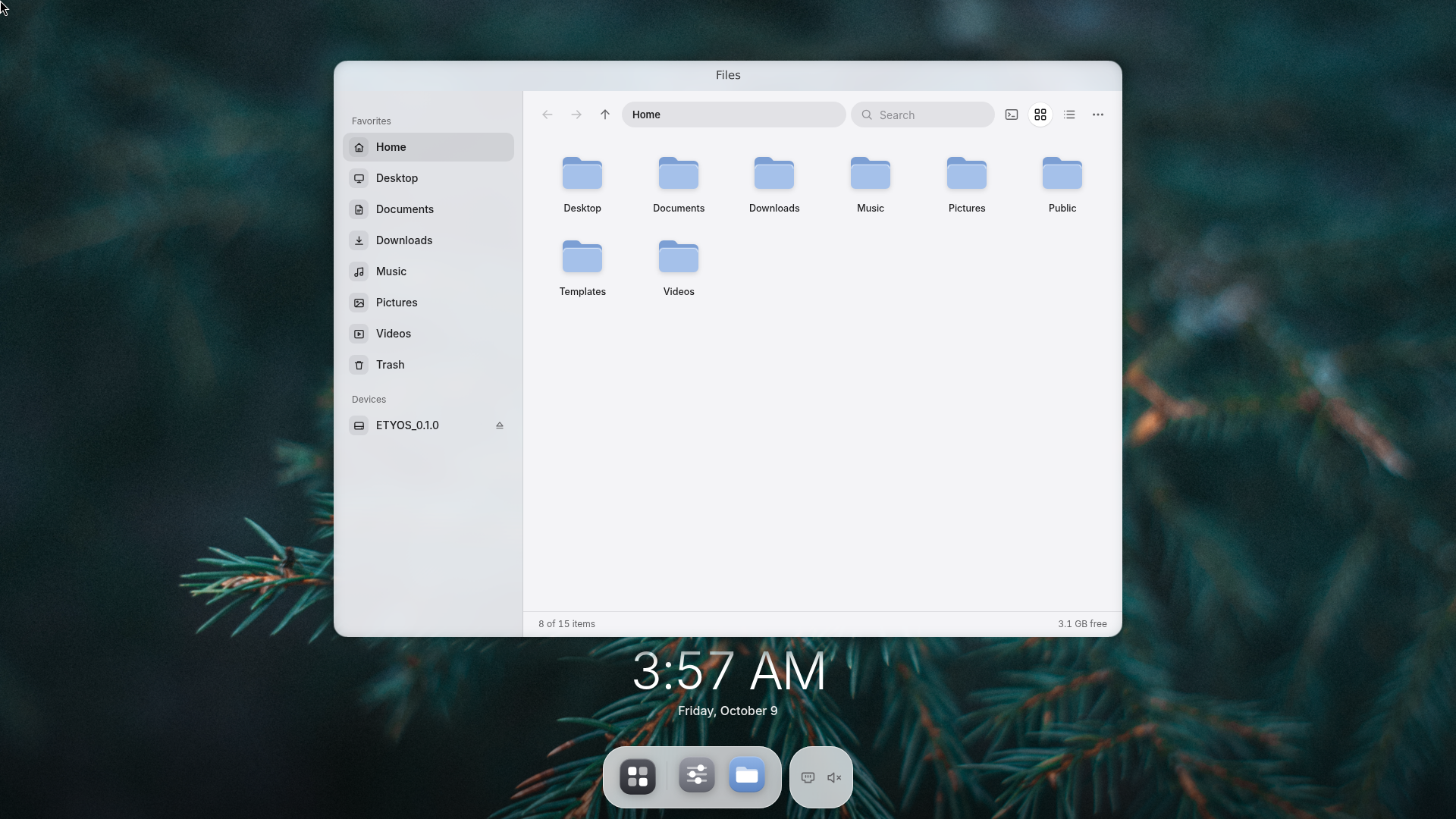
etyOS is a Wayland desktop built from air, glass and soft shapes. Nothing extra: one compositor, applications that look like one another, and an installer that makes sense from its first screen.
Wayland only
A compositor of its own: no X11 legacy, glass that blurs, a calm overview of windows.
One design language
Every application, from the same set of components, by the same rules.
Nothing extra
The image is the system and nothing else. The rest is a Debian package away.
Windows, a little differently
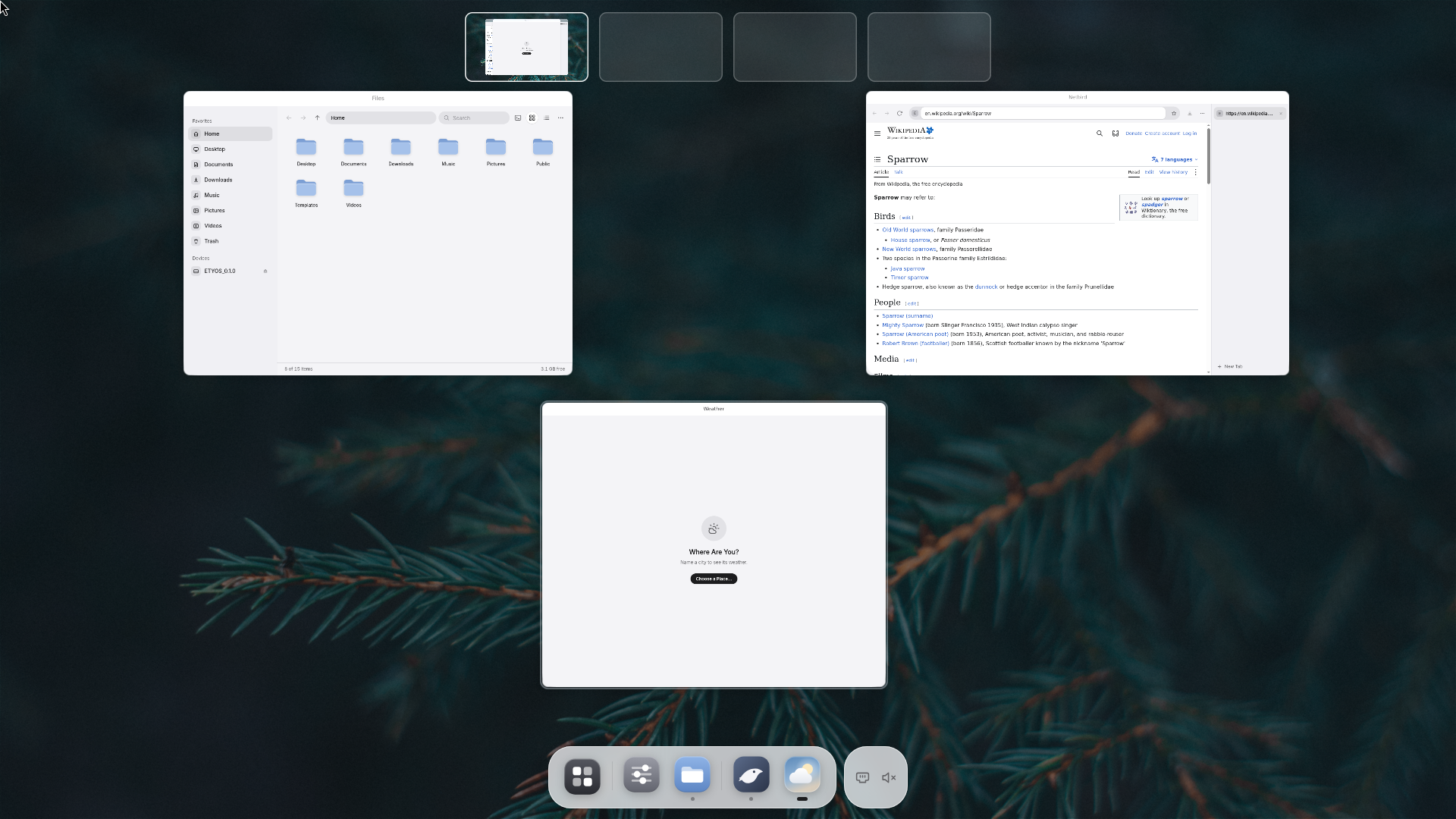
No buttons on a title bar. Everything is a click or a key, and a tap on Super shows it all.
-
Overview
Tap Super -
Close
Right-click the title -
Fill the screen
Double-click the title -
Halves
Super + ← → -
Four desktops
Super + 1 … 4 -
Switch
Alt + Tab -
Keep on top
Super + T -
Show the desktop
Super + D
How it is made
Three layers, each doing one thing.
-
Applets Rust
Small programs that describe what to show, not how to draw it. The dock, Settings, Files, the installer, Netbird: all applets.
-
Nirvana Runtime · UI kit
Draws the scene with one set of components, and patches it in place: what changed moves, the rest stays put.
-
YAWC Compositor · Wayland
Owns the screen: windows and their glass, the overview, four desktops, XWayland for the old world.
fn render(&mut self, _: &Window) -> Node Group::new() .child( Row::new(tr("Night Light")) .subtitle(tr("Warmer colours after sunset")) .trailing(Switch::new("night", self.night)), ) .into()Change self.night, and only the switch moves.
What's inside
One whole, not a bundle. Taken from the system as it is.
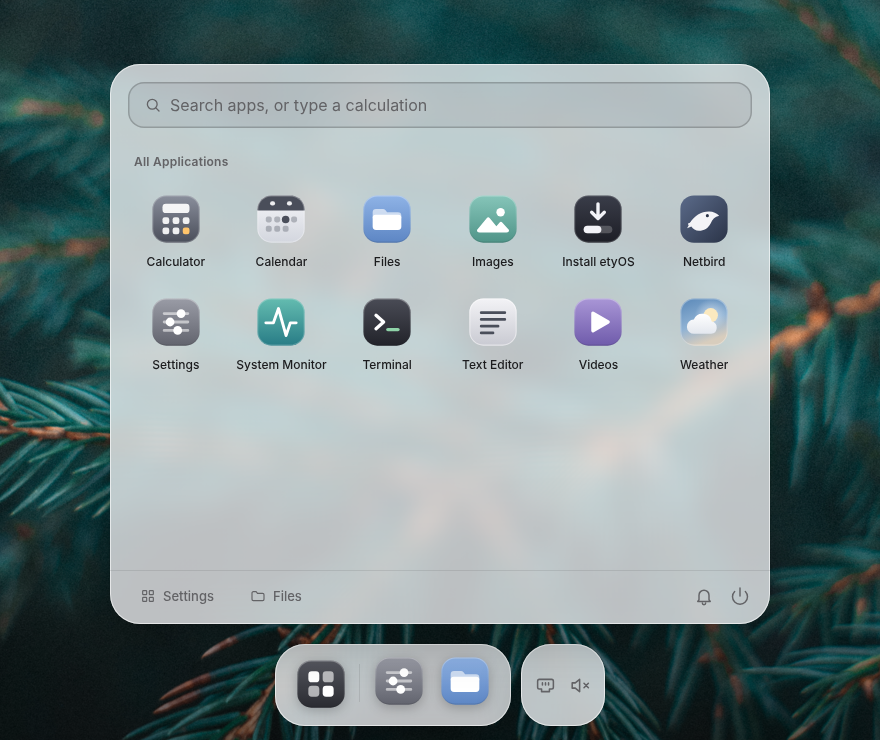
A launcher that rises from the dock
A panel above the dock, not a screen of icons.
- Folders and pins by dragging
- Search that forgives typos
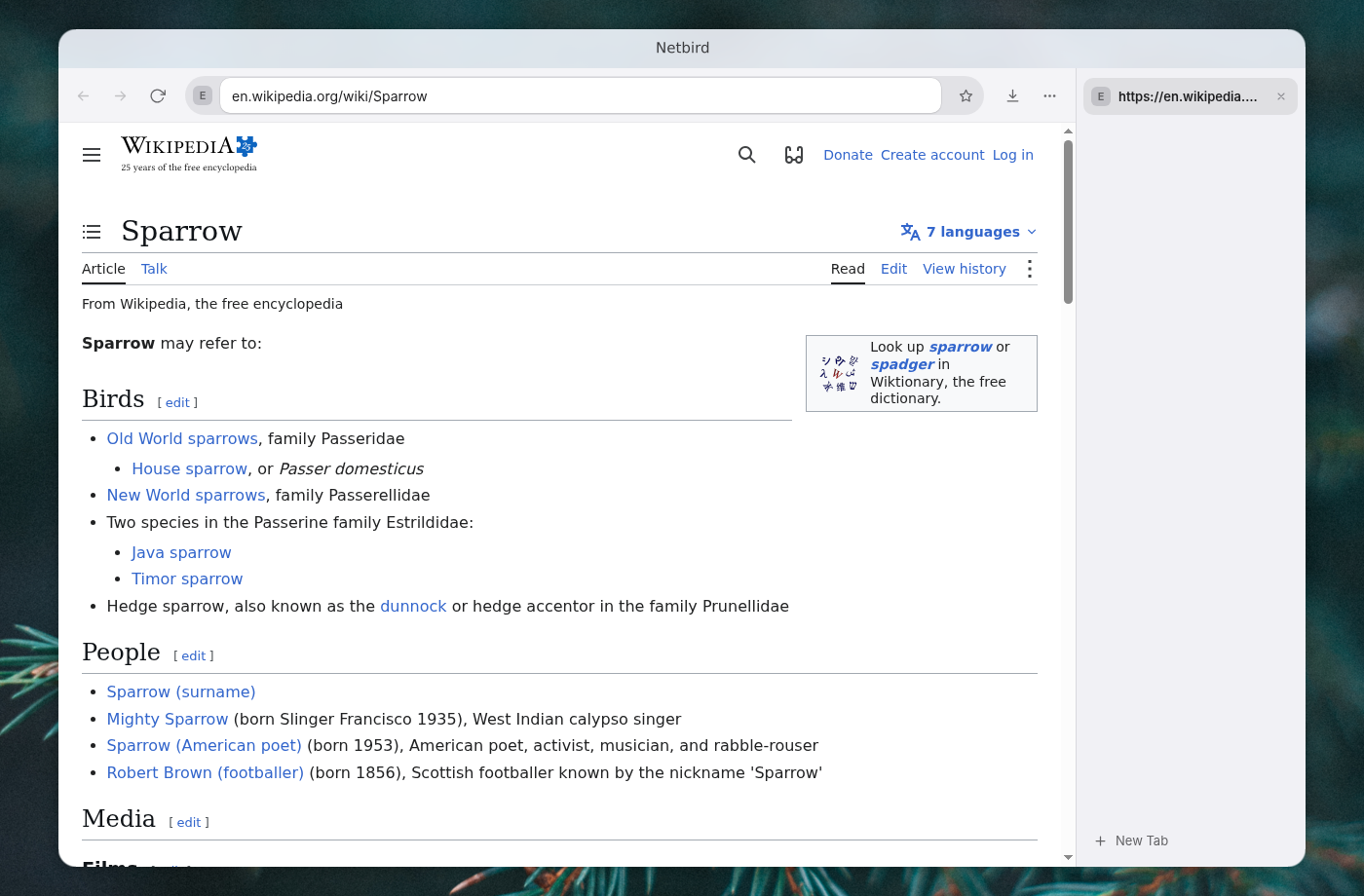
Netbird, a browser with its tabs on the side
Chromium inside, etyOS outside.
- Tabs on glass, down the right
- Bookmarks, history, downloads: panels, not menus
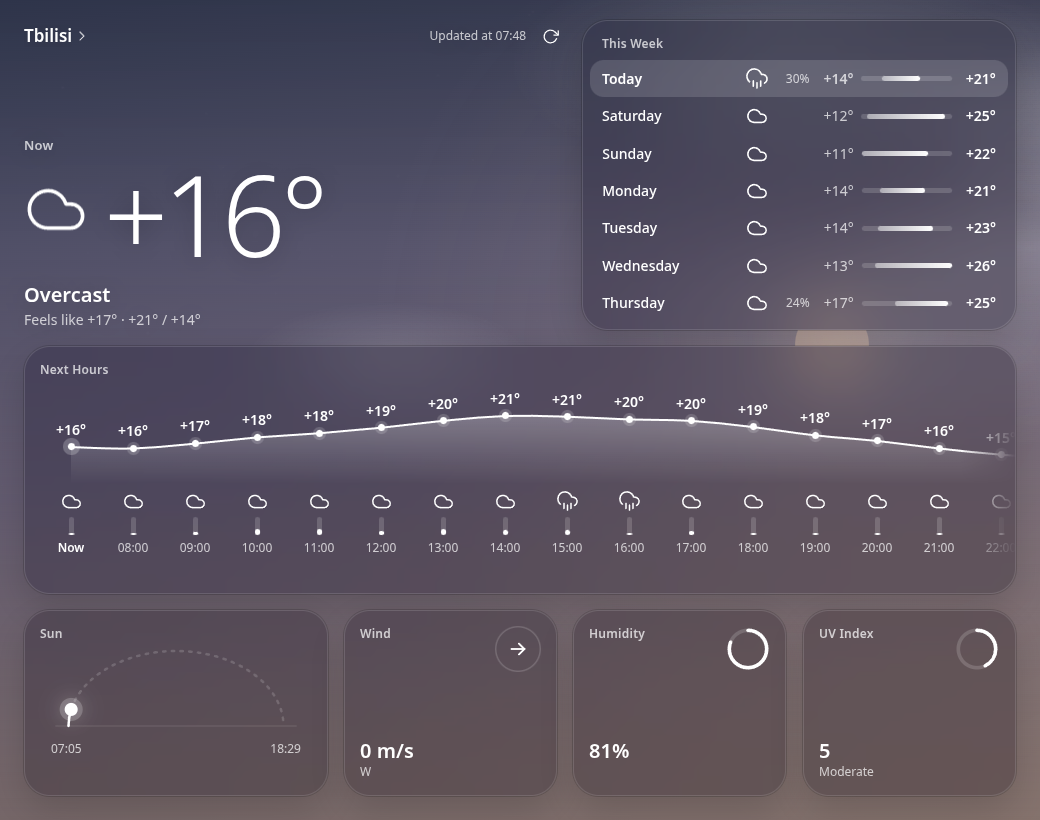
Weather you will want to open
The sky behind it changes with the forecast; the figures count, they do not jump.
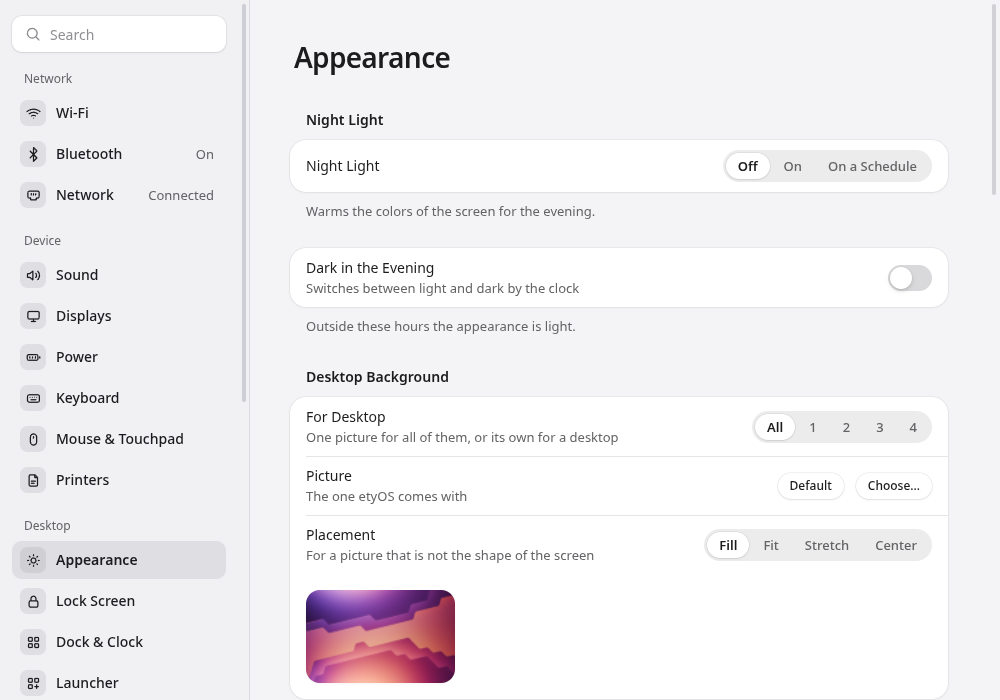
Settings without a maze
Short pages in plain words, and a System Health page that watches what goes wrong.
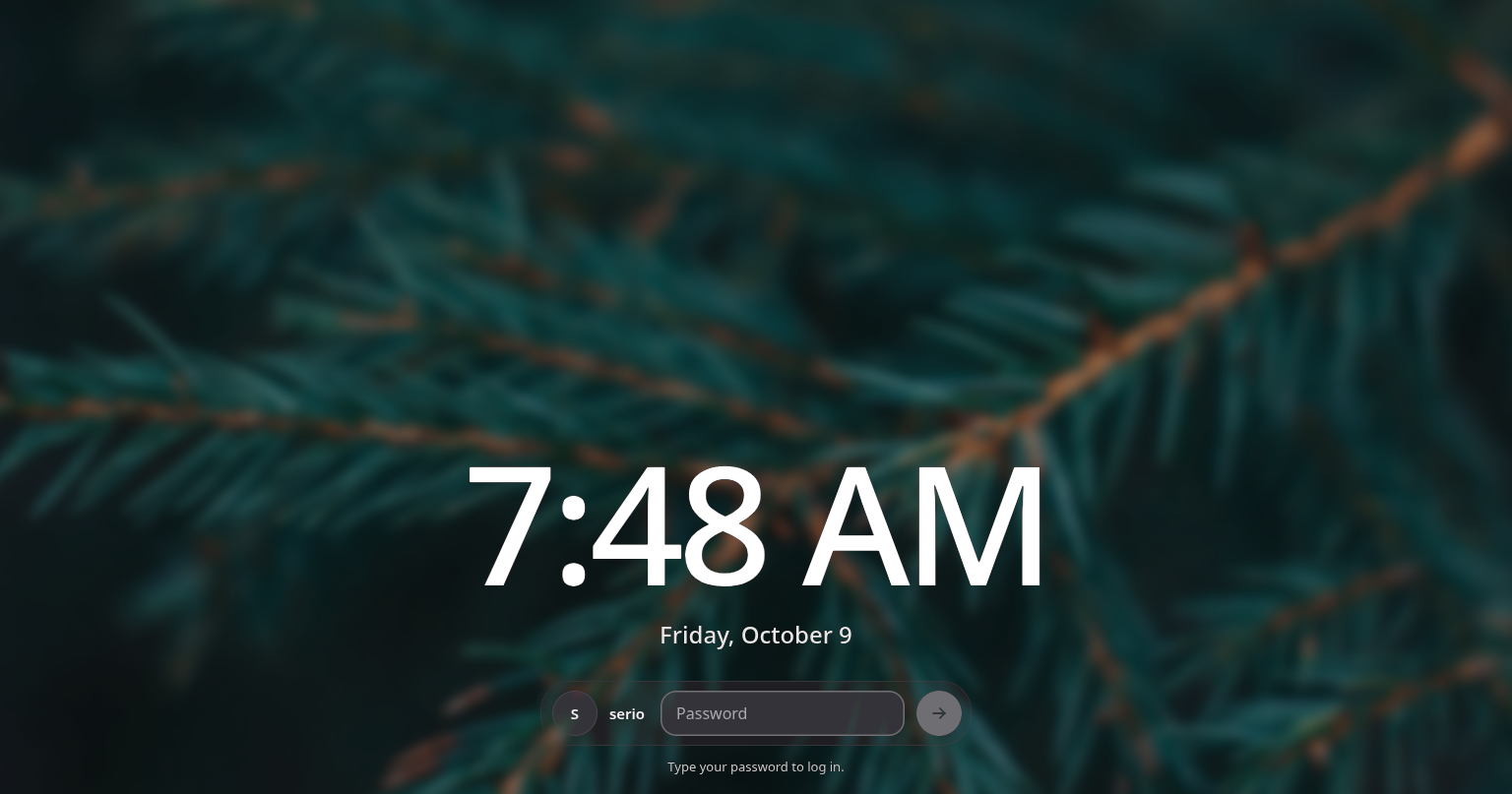
Login and lock, one face
A picture, the time, your initials, a field for the password. The same face to lock and to log in.
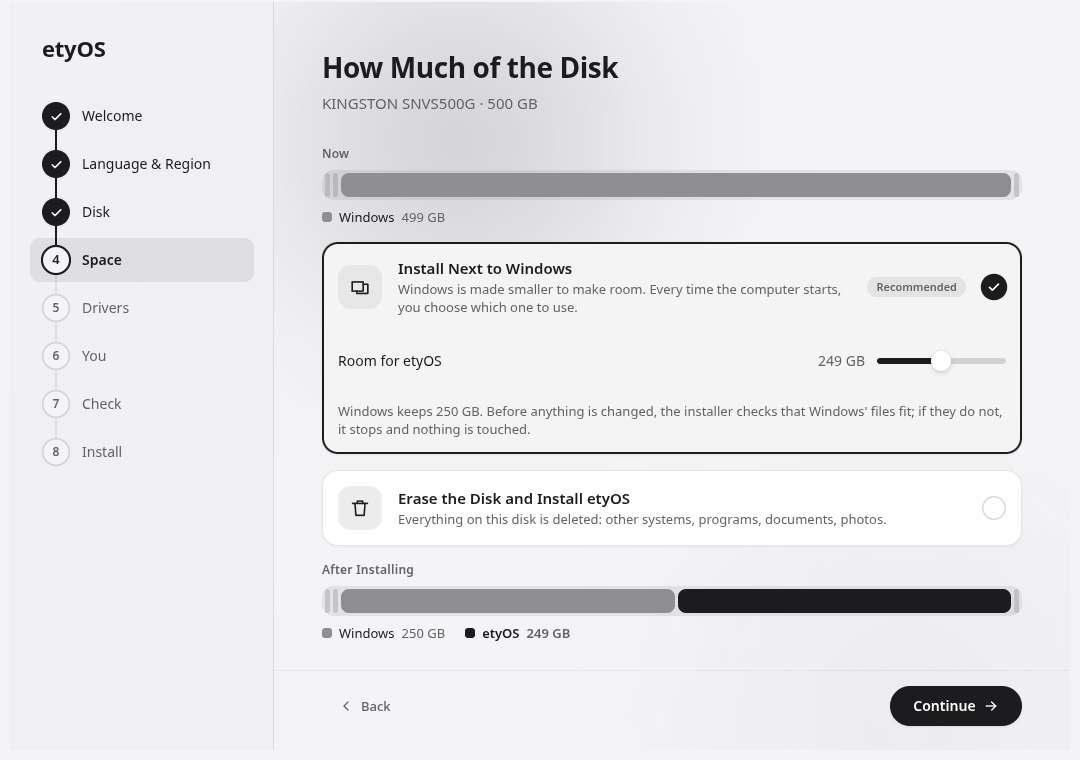
An installer that draws the disk
The disk drawn to scale, as it is and as it will be. Nothing changes until you press Install.
- Next to Windows, or instead of everything
- Drivers by choice, Secure Boot handled
Install in four steps
Nothing on your disks changes until you have seen what will happen and said yes.
- 1
Get the image
One file, etyos-0.1.0-amd64.iso.
- 2
Write it to a stick
Any stick of 2 GB or more:
sudo dd if=etyos-0.1.0-amd64.iso of=/dev/sdX bs=4M status=progress oflag=sync - 3
Start from the stick
Pick it in the boot menu (F12, F8 or Esc at power-on). Secure Boot off for the stick; the installed system turns it back on.
- 4
Answer a few questions
Language, disk, drivers, your name. The rest is done for you.
Download
One image: the live system, the installer, and what gets installed.
etyOS 0.1.0
- File
- etyos-0.1.0-amd64.iso
- Size
- 1.0 GB
- Date
- 9 October 2026
- SHA-256
17b6637971c6df4c98f579d461ad5e8f56258babce2b30325bbc862a0b5b0213
What it needs
- Processor
- x86-64
- Memory
- 4 GB, better 8
- Disk
- 24 GB or more
- Firmware
- UEFI (legacy BIOS: whole-disk installs only)
- Graphics
- Intel, AMD, NVIDIA (driver by choice)
- Next to Windows
- Yes, with BitLocker off
Questions
Is this Debian?
Underneath, yes: Debian 13 provides the kernel, the packages and the updates. On top is YAWC, a compositor of its own, and the etyDE shell. Anything in Debian installs with apt as usual.
Can I install it next to Windows?
Yes. The installer makes the Windows partition smaller by as much as you give etyOS, and adds a menu at startup to choose between them. Before changing anything it checks that Windows' files will fit. With BitLocker on, the partition cannot be made smaller: turn BitLocker off in Windows first.
What about Secure Boot?
The installed system starts through a signed boot loader. If you choose the NVIDIA driver, the firmware asks once, on the first restart, to enroll a key (Enroll MOK); the installer tells you about it beforehand. The installation stick itself is not signed yet: turn Secure Boot off while starting from it.
What about applications etyOS does not have?
Any Linux application: from the Debian repositories, as a .deb (Files opens them), or as a Flatpak. X11 applications run through XWayland.
Is it stable?
It is an early release. Installing on real hardware has not been tried on every kind of machine: keep a backup, and if in doubt, try it in a virtual machine first.